Alt Tab Easy Decals
Alt Tab Easy Decals simplifies the process of applying decals and images to models. It utilizes a technique that adds the decals without adding a single extra vertex to your model.
A new way to texture
Simply place, scale and rotate your image to fit the object.
Features
Place images & decals to objects
Automatically project the image to object surface
Image Layering
Auto Object Parenting
Duplicate Decals with Ease
Decal Damage & Opacity Control
Swap Images quickly
Organized Node Group
Simple & Organized UI
Add detail in seconds
Alt Tab Easy Decals is the easiest to use decal addon for blender. Use any image on your model and simply click to add decals anywhere. Easily add quality & depth to your objects and scene.
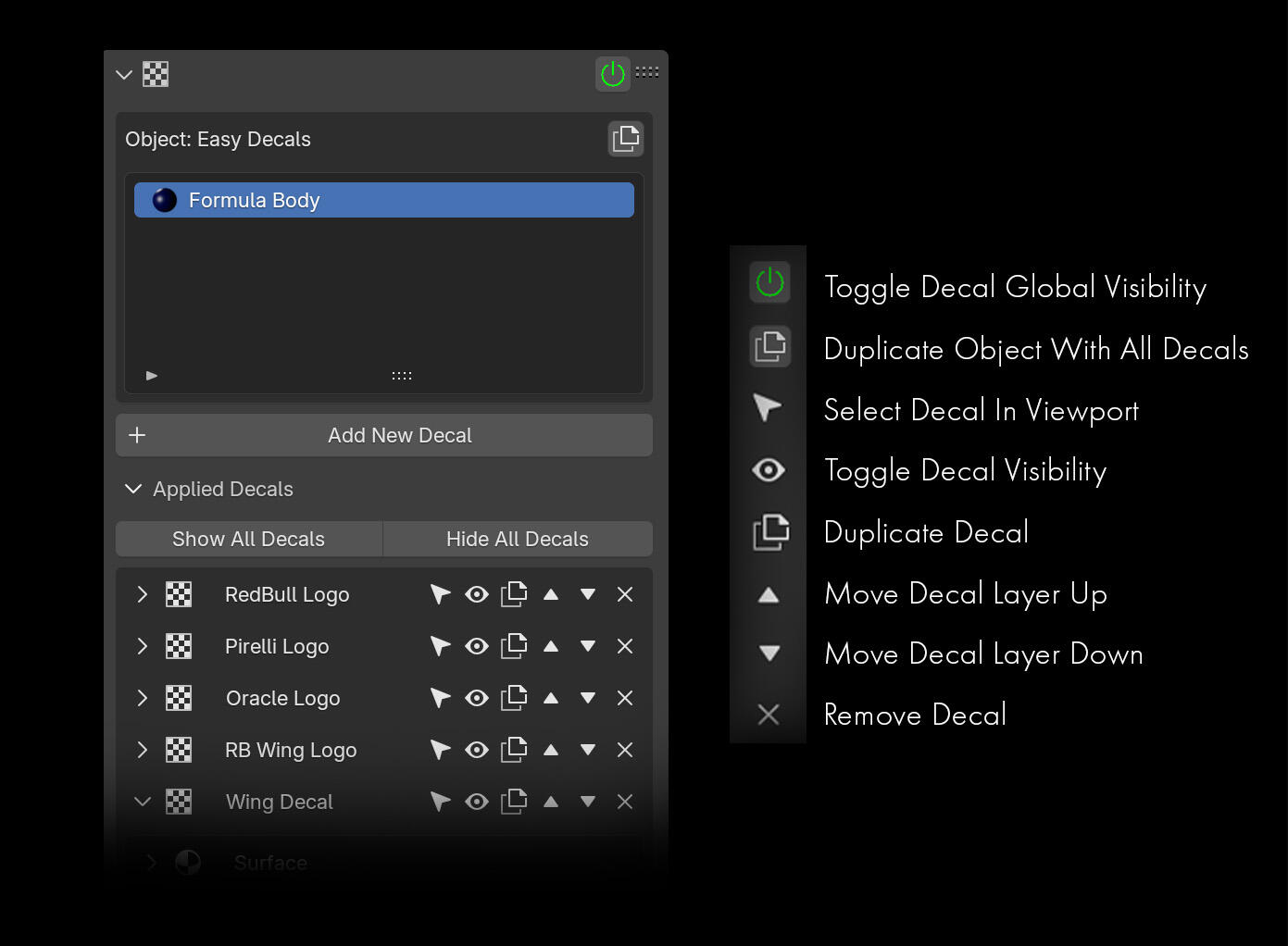
Simple UI
The addon interface gives you quick control over each decal.
Add decals to seperate materials and manage each decal's color, wear & tear and other properties. Toggle the decals visibility and change the layering order all in one panel.
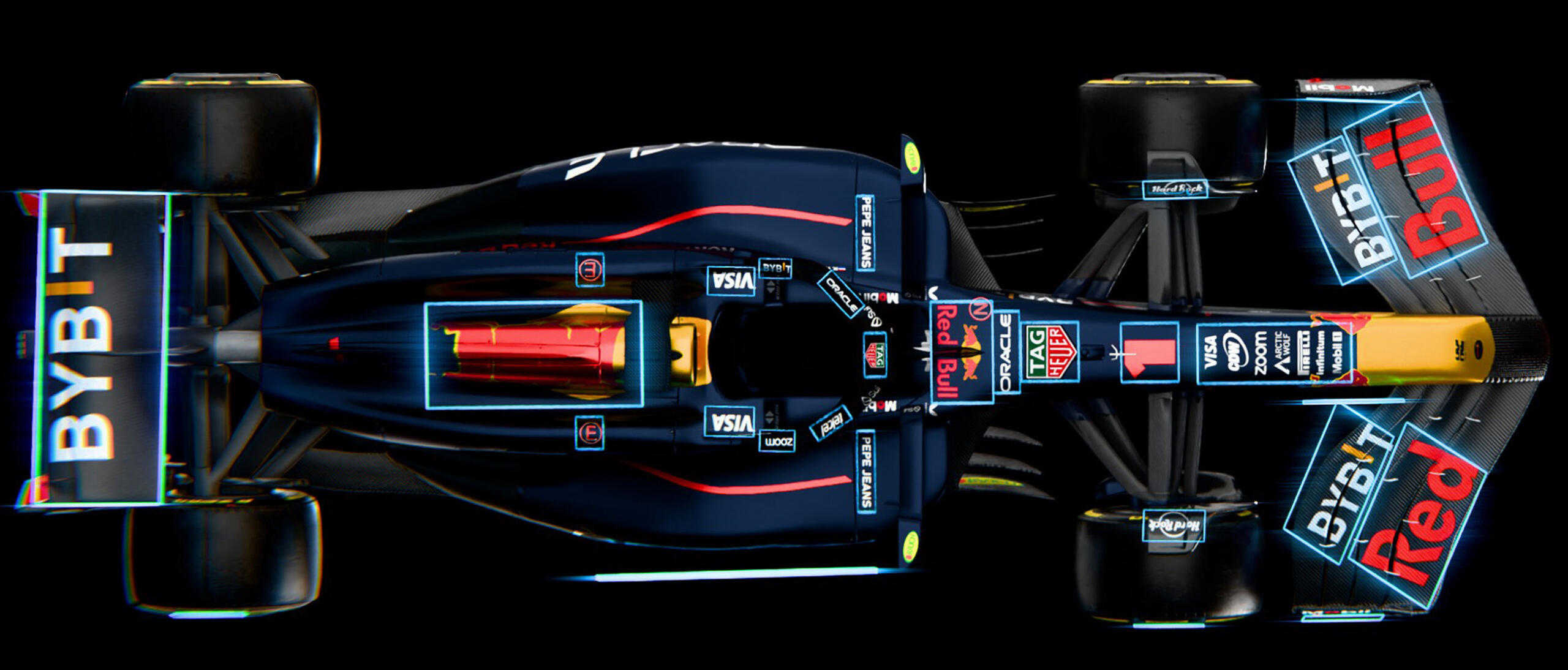
Decals On Anything
Simple To Use
Add detail to your model with just two images.
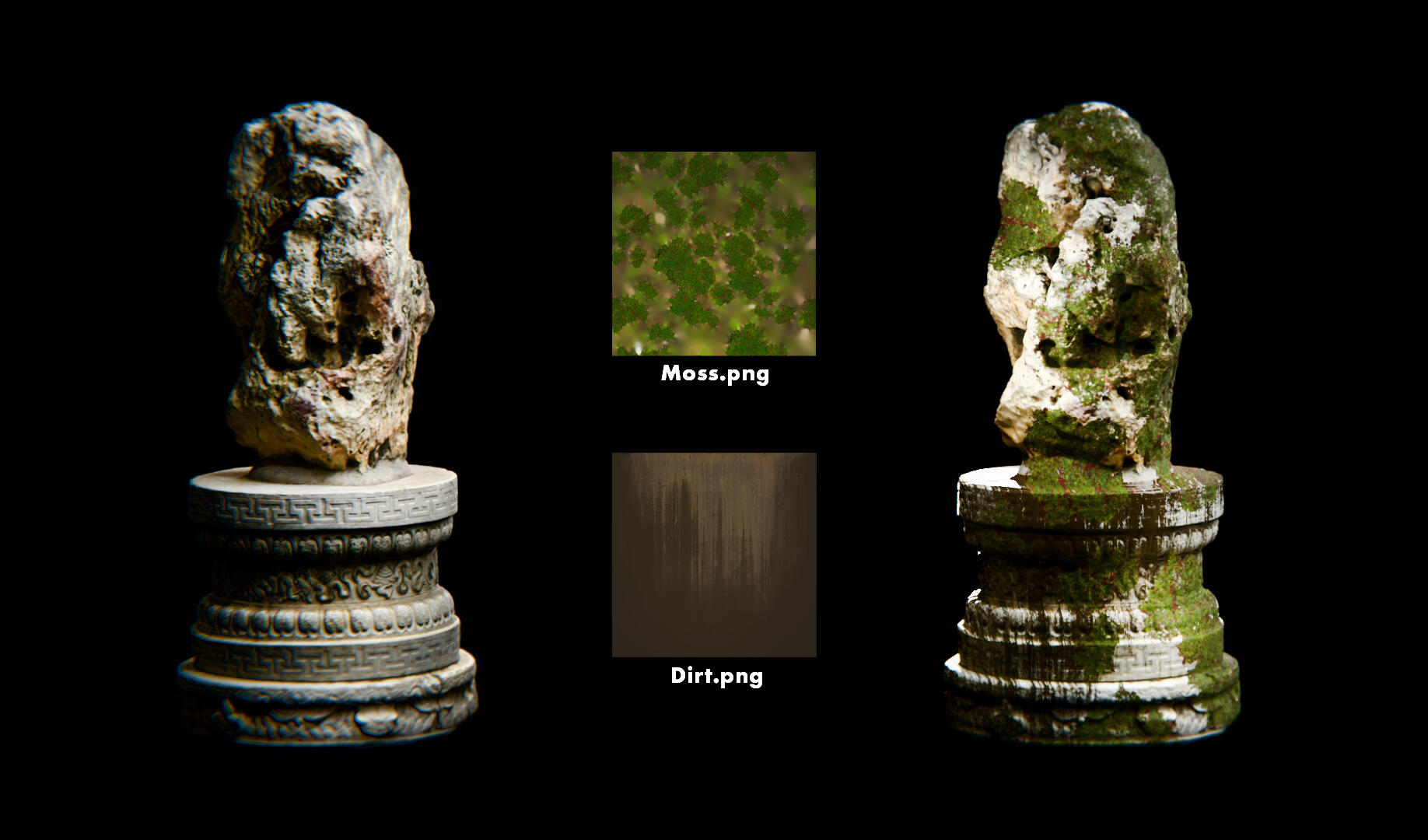
Have fun with it
Create variations of your models in a few clicks by using different decals.
Where to get stamps & decals?
You can create a decal from any texture you want.Use ANY image that you'd like, take one with your phone, create your own or browse for decals on places like:Fab.com, Textures.com, Substance 3D Assets library, Quixel bridge.One way you can also create your own decals is by combining a few textures and creating your unique versions ;)


